
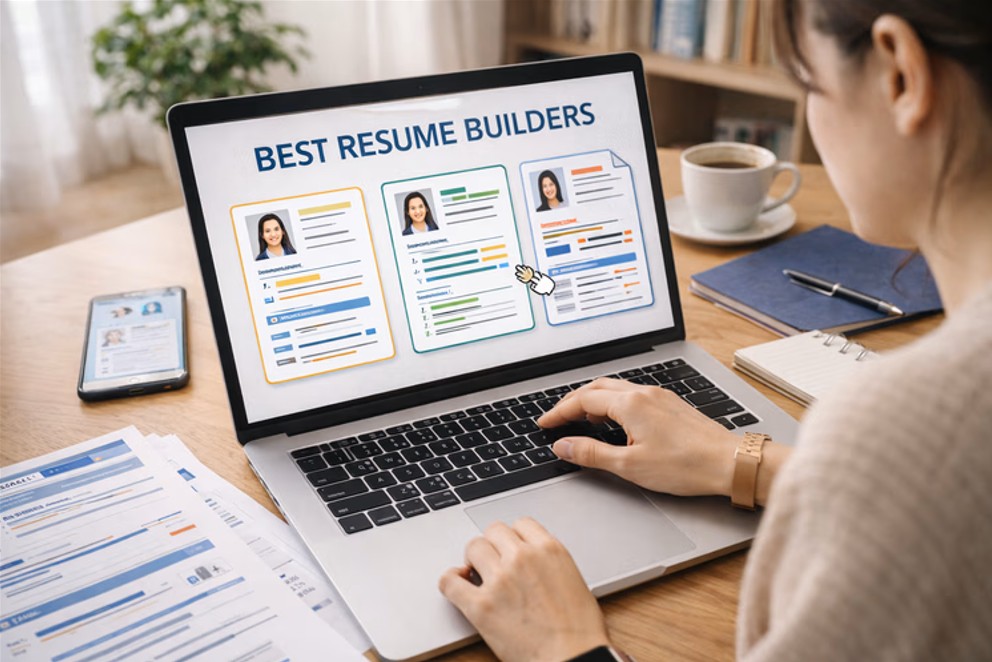
A resume is still one of the first documents a hiring team reads, and its layout often shapes a first impression before a single line of text is scanned in full. Producing that layout by hand in a word processor can be slow and frustrating. Margins drift, spacing breaks, and fonts behave in unexpected ways. Online resume builders exist to remove much of that friction, handling alignment, structure, and typography so the writer can focus on the content itself.
The people who reach for these tools rarely have a design background. They tend to be students preparing a first application, professionals returning to the job market after several years, or career changers who need a fresh format that reflects a new direction. For this audience, the value of a builder lies in getting from a blank page to a coherent draft with as little technical effort as possible.
Tools in this category differ in a few clear ways. Some are broad creative platforms that treat the resume as one document type among many. Others are built only for resumes and include content prompts, section suggestions, and formats shaped around applicant tracking systems. They also vary in how much they let a writer adjust fonts, colors, spacing, and overall layout, which matters to anyone who wants a document that looks considered rather than generic.
Among the broader options, Adobe Express works well as a starting point for someone who wants room to customize without a steep learning curve. It sits between the rigid, fill-in-the-blank builders and the more advanced design suites, which makes it a reasonable first stop for a wide range of writers before they decide whether a more specialized tool suits their needs.
Top Resume Makers of 2026
Best Online Resume Builder for Non-Designers Getting Started
Adobe Express
Most suitable for someone who wants a customizable, clean resume without learning dedicated design software.
Overview
Adobe Express is a browser-based creative tool that includes resume layouts alongside a wider library of documents, social graphics, and other formats. The Adobe Express resume maker organizes templates by visual style, and the editing model relies on dragging, dropping, and direct clicks rather than menus aimed at trained designers. A writer can swap fonts, adjust color palettes, and rearrange sections while the underlying spacing stays intact.
Platforms supported
Web browser, with companion apps for iOS and Android.
Pricing model
Freemium. A free tier covers core editing and a large share of templates, while a paid subscription adds further assets and features.
Tool type
General-purpose online design and document tool that includes resume templates.
Strengths
- Drag-and-drop editing that does not assume any prior design experience.
- Adjustable typography and color controls for fonts and palettes.
- A template library that spans several resume styles as well as related documents.
- Export options suited to both sharing and printing.
- Access to a wider set of creative assets, including icons and photography, for writers who want them.
Limitations
- Because it is not built solely for resumes, it does not offer resume-specific writing prompts.
- Deeper customization can take longer than a fixed-format builder that locks most layout choices.
- Some assets and export features sit behind the paid tier.
Editorial summary
Adobe Express fits a writer who values control over the look of a document but does not want to manage the complexity of professional design tools. The interface leans on visual choices rather than technical settings, which keeps the early steps approachable.
The workflow generally starts with a template and moves toward adjustment: changing the font pairing, shifting a color accent, or reordering sections. Because the layout logic holds those changes together, edits rarely cause the kind of cascading formatting problems common in word processors.
The main tradeoff is breadth against focus. Adobe Express covers many document types, so it does not narrow the experience to resume writing the way a dedicated tool does. For someone who wants flexibility and a gentle starting point, that breadth reads as an advantage.
Compared with the other tools here, it occupies a middle position. It offers more layout freedom than the strictly guided resume builders and a lower barrier to entry than the heavier design platforms, which is why it works as a general first option for a large share of users.
Best Online Resume Builder for Template Variety and Visual Range
Canva
Most suitable for someone who wants a wide catalog of visual styles and is comfortable making more design decisions.
Overview
Canva is a design platform with an extensive template collection that includes many resume formats, from minimal to highly graphic. It gives writers granular control over elements, layers, and styling, which supports a distinctive look but also asks for more choices along the way.
Platforms supported
Web browser, with apps for iOS, Android, and desktop.
Pricing model
Freemium, with a free tier and a paid subscription that unlocks additional templates and assets.
Tool type
General-purpose design platform with a large resume template library.
Strengths
- A broad selection of resume templates across visual styles.
- Fine control over individual elements, spacing, and layering.
- A large asset library of fonts, icons, and images.
- Straightforward export and sharing formats.
Limitations
- The range of options can slow down a writer who wants a quick draft.
- Highly graphic templates may not read cleanly through some applicant tracking systems.
- Certain popular templates and assets require the paid tier.
Editorial summary
Canva suits a writer who treats the resume as a visual project and wants a distinctive style rather than a conventional one. Its depth is the draw, and it rewards those willing to spend time arranging elements.
That same depth is the tradeoff. With more freedom comes more decision-making, which can extend the time from start to finished draft. Writers who prefer a fast, structured path may find it less direct than a resume-only tool.
Conceptually, Canva sits near Adobe Express as a general creative platform. It leans further toward visual expression and template volume, which positions it as a strong alternative for writers whose priority is design range rather than a guided, streamlined process.
Best Online Resume Builder for Guided, Content-Focused Writing
Zety
Most suitable for someone who wants structured prompts and a format shaped around applicant tracking systems.
Overview
Zety is a dedicated resume builder that pairs templates with content suggestions. It guides a writer through sections in order and offers phrasing prompts, which can help those who find the writing itself harder than the formatting.
Platforms supported
Web browser.
Pricing model
Subscription-based, typically with a low-cost trial period and recurring plans.
Tool type
Dedicated online resume and cover letter builder.
Strengths
- Section-by-section prompts that guide the writing process.
- Templates designed with applicant tracking system readability in mind.
- Suggested phrasing for common roles and responsibilities.
- A matching cover letter builder for consistency across documents.
Limitations
- Layout customization is narrower than on general design platforms.
- Full downloads generally require a paid plan.
- The guided structure offers less room for an unconventional format.
Editorial summary
Zety fits a writer whose main obstacle is content rather than design. The prompts reduce the blank-page problem and keep the document within tested structural conventions.
Its workflow is linear and predictable, which supports speed and consistency. The cost is flexibility, since the format leaves less space for a distinctive visual identity.
Relative to Adobe Express and Canva, Zety trades layout freedom for guidance. That makes it a focused alternative for those who want structure over customization.
Best Online Resume Builder for a Fast, Straightforward Draft
Resume.io
Most suitable for someone who wants a clean resume produced quickly with minimal decisions.
Overview
Resume.io is a resume-specific builder centered on speed and simplicity. It offers a curated set of professional templates and a direct editing flow that favors efficiency over extensive customization.
Platforms supported
Web browser, with a companion mobile app.
Pricing model
Subscription-based, with a low-cost introductory period and recurring plans.
Tool type
Dedicated online resume builder.
Strengths
- A focused, efficient editing flow.
- A curated set of clean, conventional templates.
- Content examples for common sections and roles.
- Consistent formatting that holds as content is added.
Limitations
- A smaller template range than broad design platforms.
- Limited fine control over individual layout elements.
- Full access and downloads usually require a paid plan.
Editorial summary
Resume.io suits a writer who values a quick path to a finished document and is comfortable working within a curated set of formats. The reduced number of choices is deliberate and keeps the process short.
The workflow is direct, which supports a writer who wants a polished result without extended editing. The limitation is customization depth, since the format prioritizes consistency over expression.
Against the general platforms, Resume.io is narrower by design. It positions itself as an alternative for those whose priority is speed and simplicity rather than layout range.
Best Online Resume Builder for Modern Templates and AI-Assisted Content
Kickresume
Most suitable for someone who wants contemporary layouts alongside automated writing help.
Overview
Kickresume is a dedicated builder that combines modern template designs with automated content suggestions. It aims to shorten the writing process while offering formats that lean toward a current visual style.
Platforms supported
Web browser, with a companion mobile app.
Pricing model
Freemium, with a free tier and paid plans that unlock additional templates and features.
Tool type
Dedicated online resume builder with automated writing features.
Strengths
- Automated suggestions for section content and phrasing.
- A set of modern, visually current templates.
- A cover letter builder that matches resume styling.
- Examples drawn from a range of roles and industries.
Limitations
- Automated content still needs careful review and editing.
- Layout control is narrower than on general design tools.
- Some templates and features require a paid plan.
Editorial summary
Kickresume fits a writer who wants both a modern look and assistance with drafting text. The automated suggestions can provide a useful starting point, particularly for someone unsure how to phrase experience.
The workflow blends structure with support, though any generated text benefits from close editing to keep it accurate and specific. The visual style is a distinguishing feature for writers who want a contemporary format.
Compared with the other dedicated builders, Kickresume leans on automation and design currency. It reads as an alternative for those drawn to modern templates and writing assistance rather than deep manual control.
Best Companion Tool for Organizing a Resume-Driven Job Search
Trello
Most suitable for someone who wants to track applications and follow-ups while working on a resume. Trello is not a resume builder itself; it pairs with one.
Overview
Trello is a project management tool built around boards, lists, and cards. Applied to a job search, it lets a writer track each application, its stage, and related notes in one visual space, which complements the document-creation work done in a resume builder.
Platforms supported
Web browser, with apps for iOS, Android, and desktop.
Pricing model
Freemium, with a free tier that covers core boards and paid plans for larger or team use.
Tool type
Project management tool with kanban-style boards.
Strengths
- A visual board that maps each application to a clear stage.
- Cards that hold notes, links, and deadlines in one place.
- Checklists for steps such as tailoring a resume version or sending a follow-up.
- A free tier that covers individual job-search use.
Limitations
- It does not create or format resumes.
- Setting up a useful board takes some initial effort.
- Its breadth can feel excessive for a very small search.
Editorial summary
Trello sits outside the resume-building category and is included as a complement rather than a competitor. Its role is organization: keeping track of where each application stands while the resume work happens elsewhere.
The workflow centers on moving cards across stages, from a role identified to an interview scheduled. For a writer managing several tailored resume versions, that structure can reduce the clutter of spreadsheets and scattered notes.
Because it does no design or writing, Trello does not overlap with the tools above. It pairs with any of them, supporting the wider process around the document instead of the document itself.
Frequently Asked Questions
Which online tools give the most control over fonts and colors when personalizing a resume?
General design platforms tend to offer the widest control over typography and color. Adobe Express and Canva both let a writer change font pairings, adjust sizes, and set custom color palettes across the whole document, which supports a distinctive but still readable look. Dedicated resume builders such as Zety, Resume.io, and Kickresume usually provide a more limited set of curated fonts and color themes. That narrower range is intentional, since it keeps the document within conventional, readable bounds, but it offers less room for personal styling. The right choice depends on whether a writer prioritizes creative control or a guided, consistent format.
How much should fonts and colors be customized before it affects readability?
Personalization works best when it stays restrained. A resume generally reads most clearly with one or two complementary fonts, a limited color accent, and consistent sizing across sections. Heavy use of multiple typefaces, bright colors, or dense graphic elements can distract from the content and, in some cases, reduce legibility. Tools that allow deep customization make it easy to over-style a document, so the freedom they provide is best paired with a conservative approach. A layout that looks considered and calm usually communicates more effectively than one crowded with visual variety.
Do customized fonts and colors cause problems with applicant tracking systems?
They can, depending on how a resume is built and exported. Applicant tracking systems parse text, and highly graphic layouts, unusual fonts, or text placed inside images may not be read correctly. Dedicated resume builders often design their templates with this parsing in mind, which is one reason their customization options are more constrained. On broader design platforms, a writer has more freedom but also more responsibility to keep the structure clean, use standard fonts, and export in a format that preserves selectable text. When a role involves an automated screening step, a simpler layout with conventional typography tends to travel through the process more reliably.
What layout choices matter most when personalizing a resume online?
Beyond fonts and colors, the structural choices often carry the most weight. Clear section headings, consistent spacing, and a logical order help a reader move through the document quickly. Most online builders preserve alignment and spacing automatically, which is a practical reason many writers prefer them to a word processor. Layout personalization is most effective when it improves scanning, for example through a clean two-column format for someone with varied experience, or a straightforward single column for a more traditional field. The tools compared here differ mainly in how much they let a writer reshape these structures, from the flexible platforms to the more fixed dedicated builders.
Can the same online tool handle both a resume and matching materials like a cover letter?
Several can. Zety, Resume.io, and Kickresume include cover letter builders that share styling with their resume templates, which keeps fonts and colors consistent across documents. Adobe Express and Canva, as broader platforms, can produce a cover letter and other job-search materials using the same fonts and palettes, though the writer sets up that consistency manually rather than through a linked feature. Keeping a coherent visual identity across documents is generally straightforward in either type of tool. The difference is whether the consistency is automated by a dedicated builder or arranged by hand on a general platform.
